
How to use My League: link your team, then let every tool read it
The My League section takes your actual fantasy team and runs every tool on the site through your league's scoring. This is a walk through what each tab does and how to use it, start to finish.
Step 1: link your league
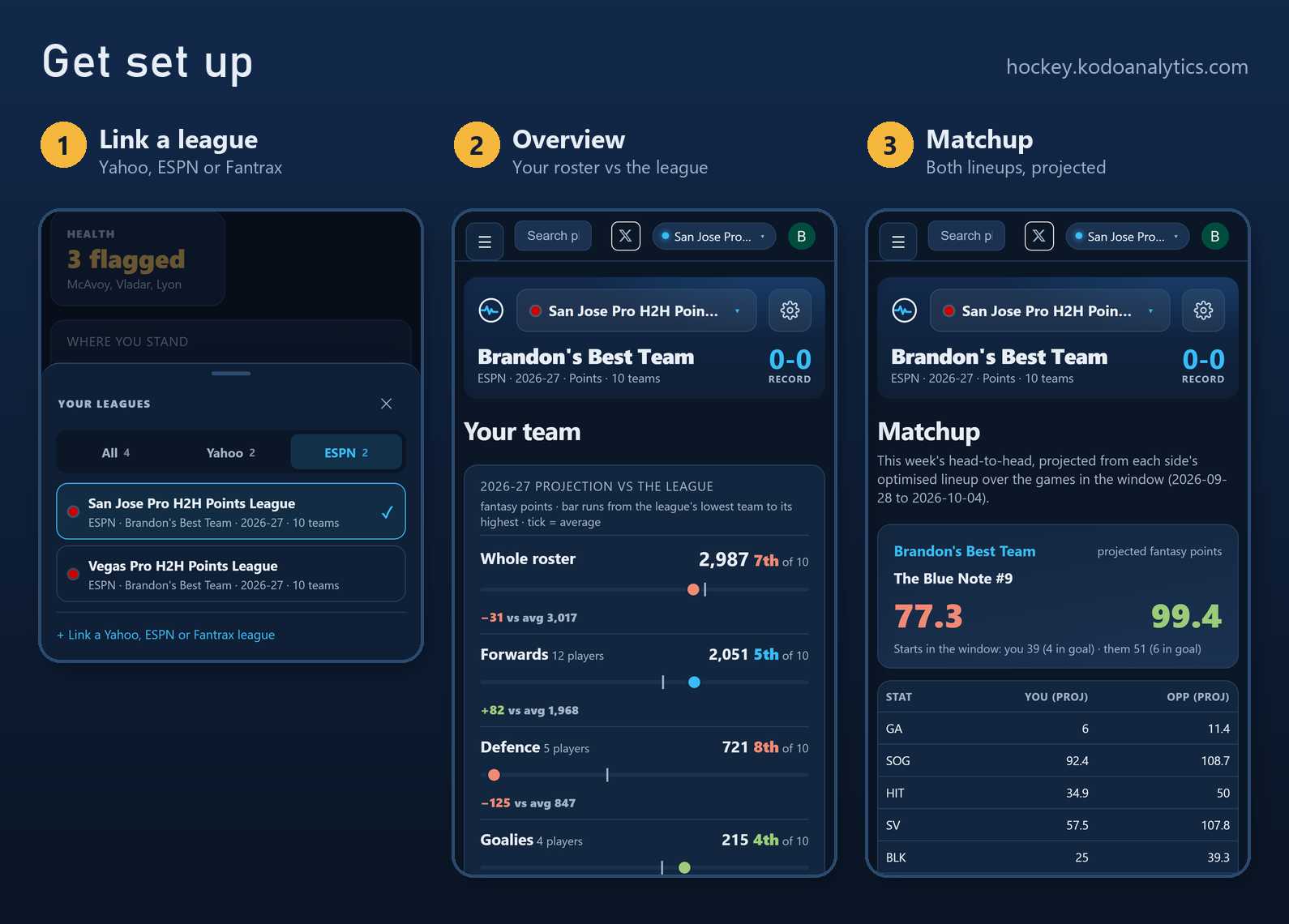
Open Link a league and pick your provider.
- Yahoo: press Connect, sign in on Yahoo, and every 2026-27 hockey league on that account comes back linked.
- ESPN: paste the league URL or ID. A public league needs nothing else. A private league also needs two cookies from your browser, espn_s2 and SWID.
- Fantrax: paste your Secret ID from Fantrax, under Settings then API.
The connection is read-only. Kodo never adds, drops, trades or sets a lineup, and you can disconnect at any time from the Settings tab.
Once linked, the league switcher at the top of every My League page swaps between all of your leagues, grouped by provider.
Step 2: the Overview
The Overview is your team against the rest of the league. The bar chart splits your projection into the whole roster, forwards, defence and goalies, and places you against every other team: the bar runs from the league's lowest team to its highest, the tick is the league average, and each row carries your rank and the gap to average.
Read it as a shopping list. If your forwards sit 5th of 10 and your defence 8th, the next add is on the blue line.
Step 3: Matchup
Matchup projects this week's head-to-head from each side's optimised lineup over the games left in the window. It shows the projected score, how many starts each side has left (skaters and goalies), and every scoring category side by side, so you can see which ones are close enough to swing.
Step 4: find players
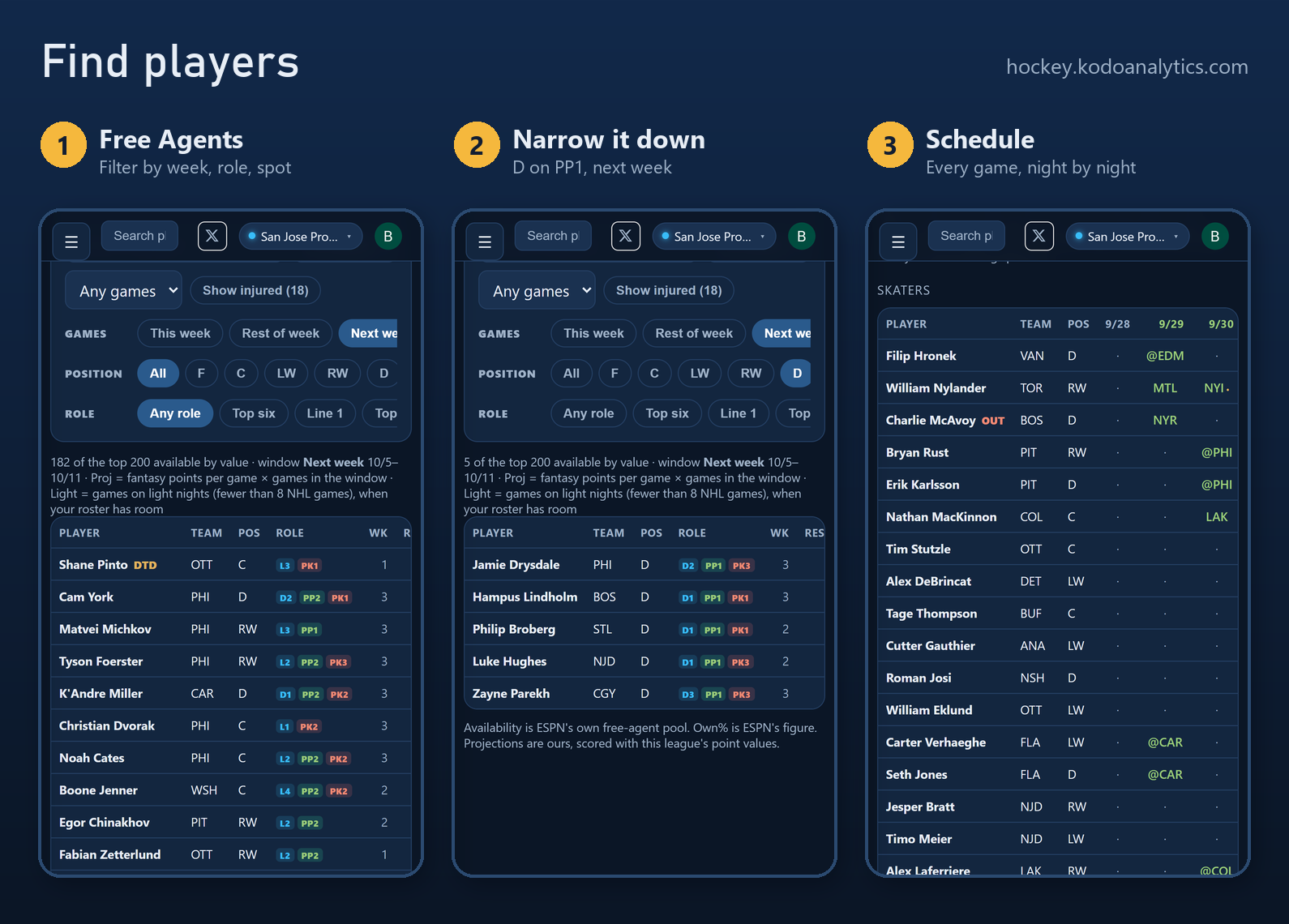
Free Agents ranks the players nobody in your league owns, valued in your scoring. The filters do most of the work:
- Games: this week, rest of week or next week, with each player's game count.
- Position: C, LW, RW, D or G.
- Role: top six, a specific line, or first power-play unit.
- Show injured: bring injured players back into the list when you want to stash one.
A two-tap example: set the window to next week, pick D, and set role to PP1. What is left is the list of free-agent defenders running a power play next week.
Top Adds does the ranking for you: the best free players for this week's schedule, in your league's scoring. Schedule lays your roster out night by night so you can see where an open slot sits and which of your players are idle.
Step 5: read your team
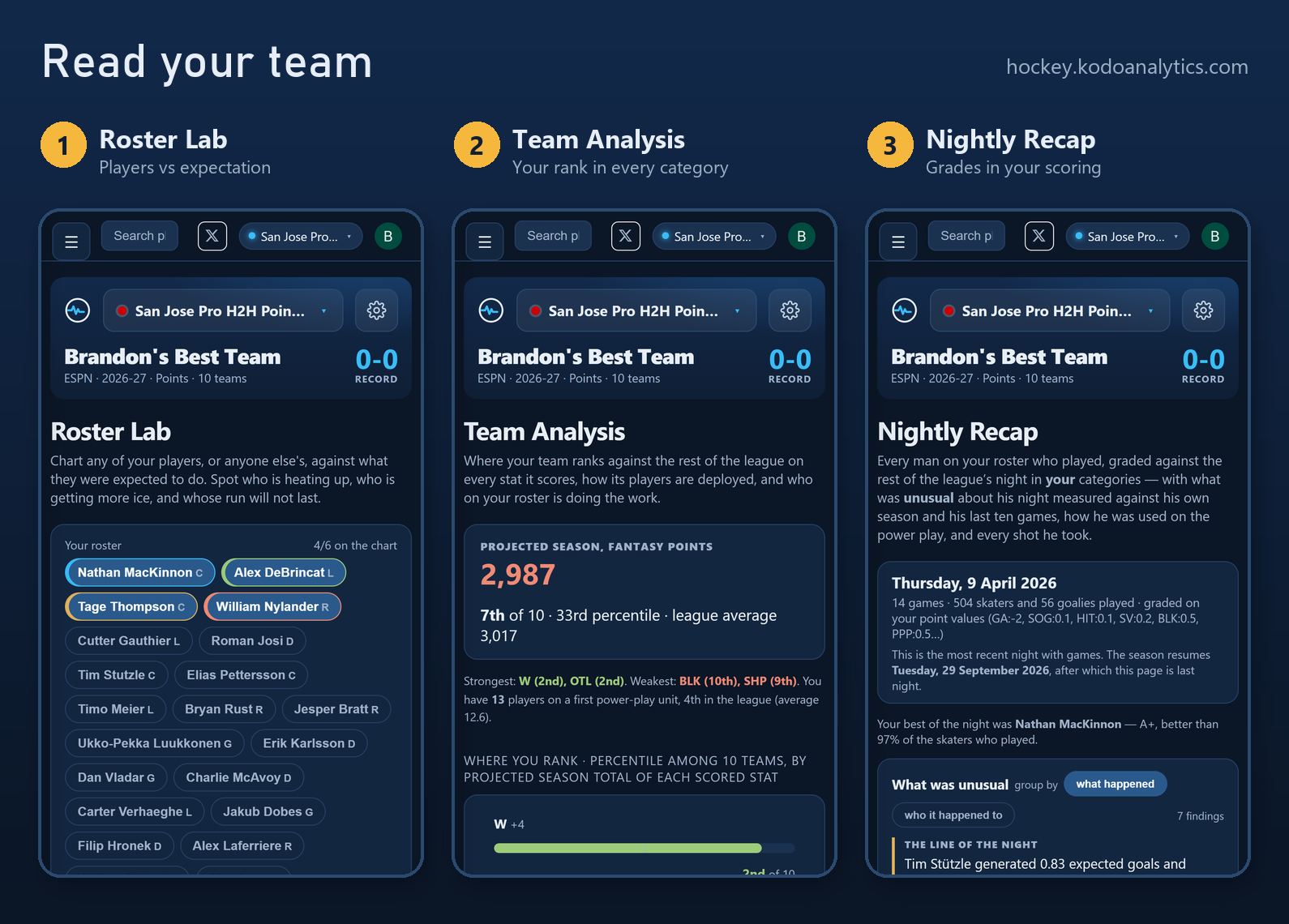
- Roster Lab: chart any of your players, or anyone else, against what they were expected to do. Add a free agent or an opponent's player to compare. Switch the x-axis between game number and date to line up a hot streak with the calendar.
- Team Analysis: where your team ranks against the league in every stat it scores, with a percentile for each. Your strongest and weakest categories are named at the top.
- Nightly Recap: every player on your roster who played last night, graded against the league's night in your categories, with their last ten grades so one bad game reads in context. "What was unusual" lists the ice time, power-play time and shot changes worth knowing about.
- Weekly Recap and Player Trends zoom out to the week and the last few weeks.
Step 6: make the move
- Optimizer lays out roster moves as a ladder: one move (Conservative), two (Recommended), three (Aggressive) or five (Max), with what each step adds. Stop where the next claim is no longer worth the drop.
- Trade Analyzer takes a trade you are considering and scores both sides in your league's settings.
- Standings shows the league four ways: projected finish, current record, rotoscore, and each team against the league average.